
How to Use Binance and OKX: A Step-by-Step Guide for Beginners

If you are new to cryptocurrency trading, two of the most popular platforms you will encounter are Binance and OKX. Both exchanges offer a wide range of digital assets, trading features, and tools. This guide explains how to use Binance and OKX effectively, covering account setup, deposits, spot trading, and essential security practices.
Creating an Account on Binance or OKX
To start, visit the official website or download the mobile app for either exchange. Click "Register" and provide your email address or phone number. Create a strong password and complete the verification code sent to your contact method. For full access, both platforms require Identity Verification (KYC). This involves uploading a government-issued ID and a selfie. KYC increases your withdrawal limits and unlocks advanced features like futures trading.
Depositing Funds
After verification, you need to add funds. Go to the "Wallet" or "Assets" section and select "Deposit." You can deposit cryptocurrency by copying the deposit address from the exchange and sending funds from another wallet. Alternatively, both Binance and OKX support fiat deposits via bank transfer, credit card, or peer-to-peer (P2P) trading. For beginners, using P2P is often the easiest way to buy crypto with local currency directly from other users.
How to Trade on the Spot Market
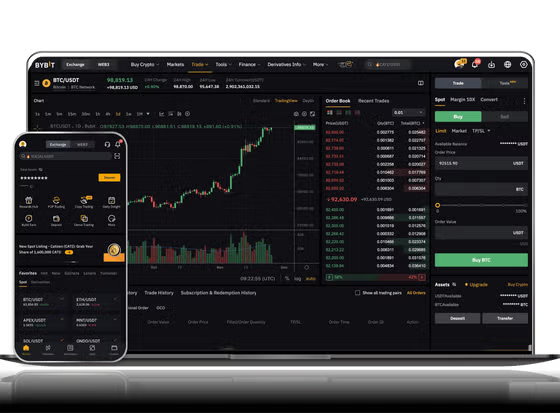
Spot trading is the most straightforward method. On the main interface, navigate to the "Trade" tab and select "Spot." Choose a trading pair, such as BTC/USDT. You will see a price chart on the left, an order book in the center, and a trading panel on the right. To buy, enter the amount of USDT you want to spend or the amount of Bitcoin you want to purchase. You can place a "Market" order, which buys immediately at the current price, or a "Limit" order, which buys only when the price reaches your specified level. Click "Buy BTC" to execute the trade. Your purchased assets will appear in your spot wallet.
Using Advanced Features
Both Binance and OKX offer advanced tools like futures, margin trading, and staking. These carry higher risk and are not recommended for complete beginners. For earning passive income, you can try staking or savings accounts directly from your wallet. Simply search for a supported coin and lock it for a fixed period to earn interest.
Security Tips
Always enable Two-Factor Authentication (2FA) using Google Authenticator or a hardware key. Never share your login credentials or private keys. Beware of phishing sites and fake customer support. For storage, you can keep small amounts in your exchange wallet for trading, but for larger holdings, consider moving funds to a personal crypto wallet like Ledger or Trust Wallet.
Common Mistakes to Avoid
Do not send funds to the wrong network. When depositing, ensure the network type (e.g., BEP-20, ERC-20) matches exactly on both the sending and receiving platforms. If you send tokens on the wrong network, recovery can be difficult and may require support. Also, start with a small test transaction before moving large sums.
By following these steps, you can use both Binance and OKX safely and confidently. Always do your own research before trading and never invest more than you can afford to lose.


发表评论