
Binance Exchange Full Guide: How to Use Binance Official Website for Trading

Binance is one of the largest and most widely used cryptocurrency exchanges in the world. For beginners, understanding how to navigate the official Binance website and execute trades can seem complex. This guide provides a clear, step-by-step explanation of the core operations on the Binance platform, designed to help you trade securely and efficiently.
First, accessing the correct website is crucial. Always type the official URL directly into your browser: www.binance.com. Be cautious of phishing sites that may look similar. Once on the site, you need to create an account. Click the "Register" button in the top-right corner. You can sign up using your email address or phone number. Create a strong password, agree to the terms, and complete the basic verification. Binance will send a confirmation code to your email or phone—enter this code to activate your account.
After registration, the next essential step is security. Binance strongly recommends enabling two-factor authentication (2FA). Go to your account settings, find the "Security" section, and set up Google Authenticator or SMS verification. This adds an extra layer of protection to your funds. You should also complete Identity Verification (KYC). This usually involves uploading a photo of your government-issued ID and a selfie. While you can use some features without KYC, completing it increases your withdrawal limits and unlocks full trading functionality.
To start trading, you need to deposit funds. On the Binance homepage, hover over "Wallet" and select "Fiat and Spot." Click "Deposit." If you have cryptocurrency from another wallet, select the coin you want to deposit (e.g., USDT or BTC). Binance will generate a unique deposit address for that asset. Copy this address and paste it into the sending platform. Never send a different type of coin to this address, or your funds may be lost. Alternatively, you can deposit fiat currency like USD or EUR using bank transfer, credit card, or P2P trading, depending on your region.
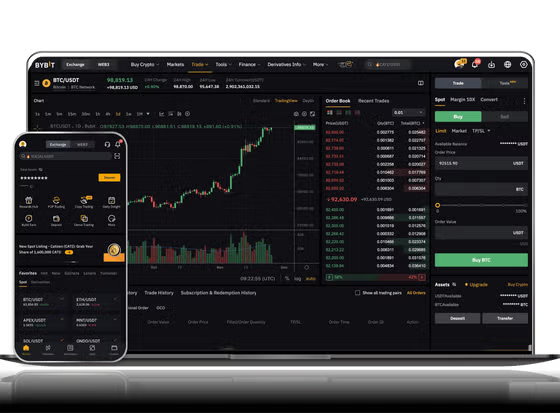
Now for the actual trading. The main trading interface is called the "Spot" market. Go to "Trade" and select "Classic" or "Advanced" view. The screen will show a price chart on the left, an order book in the middle, and your account balance on the right. To buy Bitcoin, for example, find the trading pair (e.g., BTC/USDT). In the "Buy" section, you have two main order types: - Market Order: This buys Bitcoin immediately at the current best available price. You simply enter the amount of USDT you want to spend, and the trade executes instantly. - Limit Order: You set a specific price at which you want to buy. For example, if Bitcoin is currently at $60,000 but you want to buy at $59,000, you enter that limit price. The order will only fill when the market price drops to your chosen level.
Once your order is filled, the Bitcoin will appear in your Spot Wallet. To sell, you follow the same process but in the "Sell" section. You can also use the "Convert" feature for a simpler swap between two coins without using the trading interface. After trading, it is a good security practice to store your main holdings in the "Earn" section for staking or in a personal hardware wallet, keeping only trading funds on the exchange.
Finally, to withdraw funds, go back to "Wallet" > "Fiat and Spot" and click "Withdraw." Select the coin, enter the recipient address (from your external wallet), and confirm the amount. After entering your 2FA code, Binance will process the withdrawal. Always double-check the network type (e.g., ERC20 for Ethereum, BEP20 for Binance Smart Chain) to ensure compatibility with the receiving wallet.
By following these basic steps—account setup, security, depositing, selecting order types, and withdrawing—you can confidently operate the Binance platform. Remember to start with small amounts while you learn, and always rely on the official website for your transactions.


发表评论